Why Is My Samsung Galaxy Charging Slowly?
Fast charging needs the right charger, a clean port, and a healthy battery. Miss one and the phone crawls.
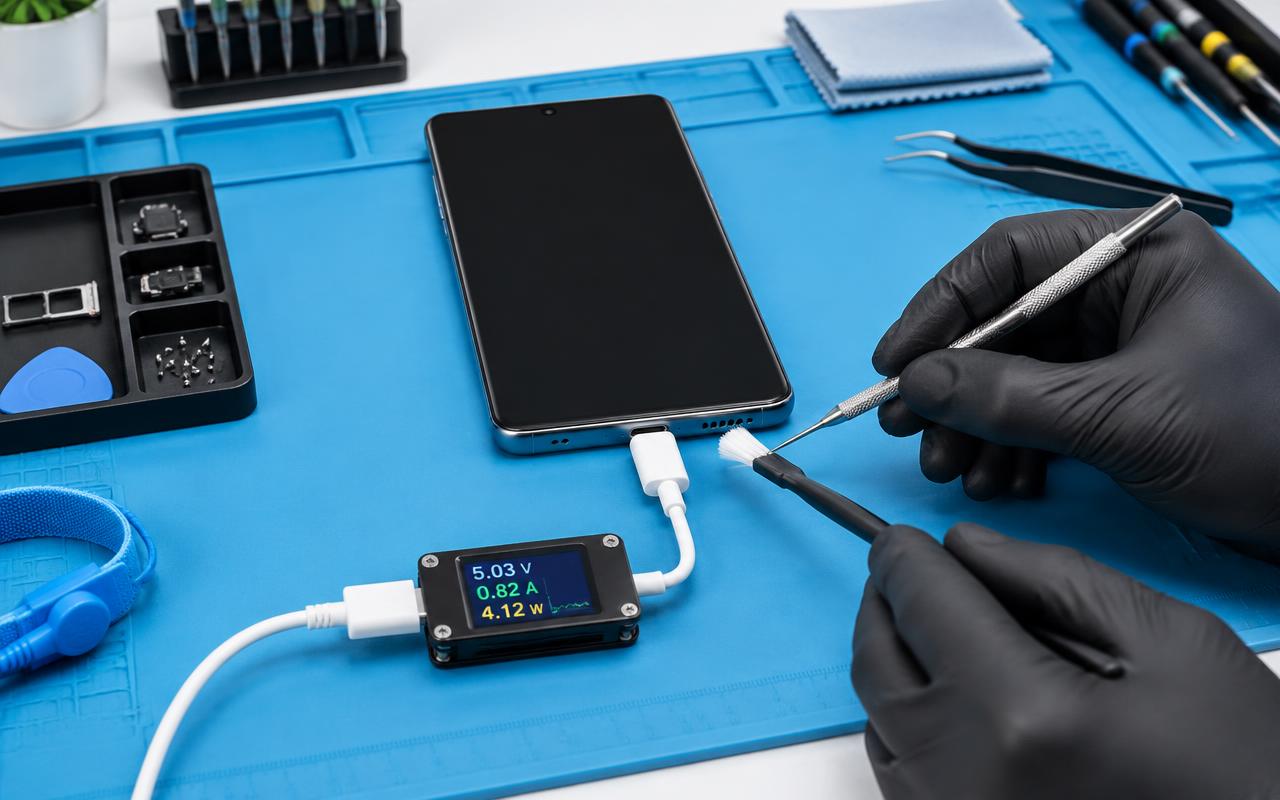
Galaxy phones charge quickly when everything in the chain cooperates. Slow charging means something in that chain is not — and the chain has more links than people realise: the adapter, the cable, the port, the battery, the temperature, and a couple of settings.
1. The adapter may not support fast charging
Fast charging only happens when the adapter, the cable, and the phone all agree on it. A charger from an older phone, a cheap multi-port block, or a car socket will often charge at a fraction of the speed even though it appears to work.
Use a charger rated for your phone's fast charging, and check that the cable is up to the job. A USB-C to USB-C cable rated for higher power is usually part of the answer.
2. Fast charging may be switched off
Samsung keeps these as settings, and they get turned off during battery-saving experiments and forgotten. Look in Settings, then Battery (or Battery and device care), then Charging. Make sure fast charging — and fast wireless charging if you use a pad — is enabled.
Also check whether Protect Battery or a charge limit is on. Those deliberately cap charging to extend battery lifespan, which looks exactly like slow charging.
3. Clean the USB-C port
Galaxy ports collect lint just like every other phone. A packed port stops the cable seating fully, and a cable that is not fully seated will not negotiate fast charging.
Power the phone off and clear the port carefully with a wooden or plastic pick. If the cable feels loose or only charges when held at an angle afterward, the port is worn and needs replacing — a common and routine repair.
4. Heat slows charging on purpose
Phones reduce charging speed when they are warm. This is protective, not a fault. Charging in direct sunlight, in a hot car, under a pillow, or while gaming or navigating will all slow it down. Take the case off, stop using the phone, and see whether the speed recovers.
5. Something may be running in the background
If the phone is downloading updates, syncing photos, or running a game while charging, it is spending incoming power rather than storing it. Try charging with the screen off and see whether the estimate improves.
6. The battery may simply be worn
After a few years the battery holds less and charges less efficiently. Signs it is the battery rather than the charging path:
- Runtime has dropped a long way from what you used to get.
- The phone shuts down with charge remaining.
- It gets warm doing very little.
- It charges to full quickly but empties just as fast.
- The back or screen has started to lift — stop charging it and have it seen straight away, as that suggests a swollen battery.
7. Try a safe restart
Software occasionally gets in the way. Restart the phone, then test charging again with a known-good charger and cable and nothing else running. If a recent app installation coincided with the problem, that is worth investigating too.
What a repair involves
The two repairs that fix genuine slow charging are a charging port replacement and a battery replacement. Both mean opening the phone properly, and on modern Galaxy models that means dealing with adhesive and, on many, the glass back. It is routine bench work, but it is not a good first DIY project.
With us, battery replacements carry a one-year warranty and other internal non-battery work is covered for 180 days.
Get it diagnosed
Tell us the model, which charger and cable you are using, and roughly how old the phone is, and we will tell you whether it sounds like a charger, a port, or a battery. We work on Galaxy S, A, Note, and foldable models for customers in Delano and the surrounding area, and by mail-in.
Bring the charger and cable with you. More than once, the fault has walked in with the phone.
Common questions
- Why did my Galaxy stop fast charging?
- Most often the adapter or cable does not support it, fast charging is switched off in settings, the port is dirty, or the phone is warm. Check those before assuming hardware.
- Does Protect Battery slow charging down?
- Yes, by design. It caps charging to extend battery lifespan, which can look like a charging fault.
- Can a worn Galaxy battery be replaced?
- Yes, it is a routine repair. It means opening the phone properly, and we cover battery replacements for one year.
Want someone to check it properly?
Send us your Galaxy model and the symptoms — we diagnose first and give you the cost before any work happens.
- samsung
- galaxy
- charging
- battery